Introduction
Use this guide to calibrate the fingerprint sensor in your Google Pixel phone. This guide is only applicable for the Google Pixel 6 and newer phones.
You need to calibrate your fingerprint sensor whenever you replace the screen, as most replacement screens come with a new fingerprint sensor pre-attached. If you don't, your fingerprint sensor will not work.
-
-
Follow these instructions to enable developer options and USB debugging mode.
-
If you're using a Windows operating system, download the Google USB driver and follow these instructions to install it.
-
Navigate to this page to prepare the calibration software.
-
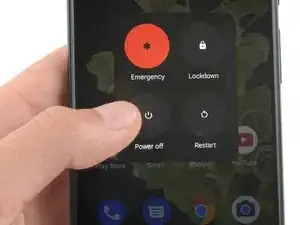
If your phone isn't turned off, do so now.
-
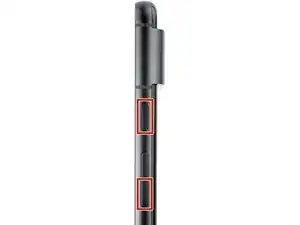
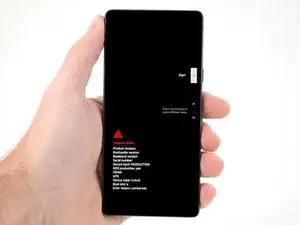
Hold down the power and volume down buttons on your phone for three seconds to enter Fastboot mode.
-
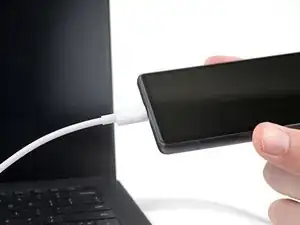
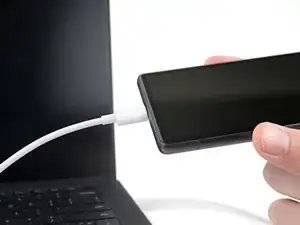
Plug your phone into your computer.
-
-
-
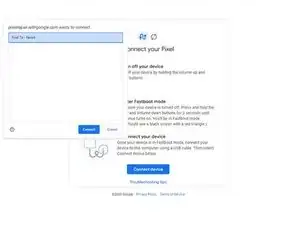
Select the "Connect Device" button.
-
Choose your device from the pop-up menu.
-
If your device isn't showing up, select the "Troubleshooting tips" link near the bottom of the page to diagnose your issue.
-
Once your device connects, select the "Install software" button.
-
-
-
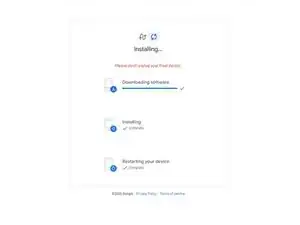
Wait for the calibration software to download and install.
-
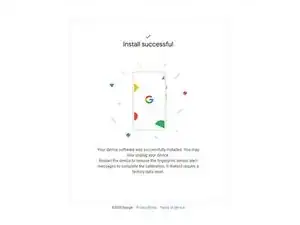
After you receive the "Install successful" prompt, unplug your phone and manually restart it again to complete the calibration.
-


Your fingerprint sensor is calibrated and ready for use.
If the calibration fails for any reason, repeat the calibration procedure.

33 comments
When I try and use the calibration tool on my Pixel 6 I get an error message whilst downloading the software that says "Couldn't find the unique calibration software for this device". Any suggestions as to what is causing this?
Same problem. Pixel 7 android 14 latest update
Gleb -
Same problem. Pixel 6 android 14 latest update
Same problem, pixel 7 android 14 January update
same problem. Please help
Have you had a screen repaired by a non-authorized warranty repair center? I made that mistake and ran into this error. Google Support basically informed me that I can pack sand. We need right-to-repair legislation so that a software fix such as this cannot be denied.
Same, Pixel 7 android 14. "Couldn't find the unique..."
Bonjour et pour les utilisateurs de mac?
Bonjour @nicolasrou74085 malheureusement Apple réserve cette manipulation à son réseau de réparation agréé :( Vous trouverez toutes les infos sur l'appariement de cette pièce dans notre article : https://fr.ifixit.com/News/83553/la-vue-..., en particulier le tableau récapitulatif des iPhone 5 aux iPhone 15 vers la fin de la page.
I am in fastboot mode and my device appears in the list to connect but it consistently comes up with 'Unable to connect device' - I am using Ubuntu 22.10 (Linux) and my Pixel 6 is not rooted. I can't proceed past this point.

I'm in "Fastboot Mode" as described.
A connection to my PC is not yet possible.
A selection menu can be seen on the Pixel 6 display:
- Start
- Restart bootloader
- Recovery mode
- Rescue mode
- Bar code
- Power off
Which option to choose to install fingerprint calibration software?
Andreas -